A tradie website pays for itself when it does three jobs well: it collects quote requests with enough detail to price or reject the job without a call-back, it lets customers book a time for small or standard jobs, and it takes a deposit where that makes sense. Ideally all three feed straight into the job management tool you already use, so nothing is retyped from an email at nine o’clock at night.
What should a tradie quote form ask?
A basic “name, email, message” form produces vague enquiries that all need a phone call. A better form asks the handful of questions you would ask on that call anyway. The right questions depend on your trade, but usually include:
- Suburb or postcode first, so you can tell straight away if the job is in your area.
- Type of job, from a short list such as repair, replacement, new installation or inspection.
- Property type, such as house, unit, commercial or strata.
- Timing: urgent, within a few weeks, or just planning.
- Photos, which often tell you more than any description. Limit file types and sizes so the form doesn’t fail on large phone videos.
- Preferred contact method, since some customers can’t take calls at work.
Keep it short enough to finish on a phone in a ute. Make most fields optional except the ones you genuinely need, and show a clear message after submitting that says when they can expect to hear back. If you collect addresses and photos of people’s homes, have a look at our guide to the Privacy Act and your website forms too.
Should customers book online, or just request a quote?
It depends on the job. Online booking suits work with a predictable length and price: a service call, a hot water system inspection, an appliance install, an end-of-lease clean. It doesn’t suit work that needs a site visit before anyone can say how long it takes.
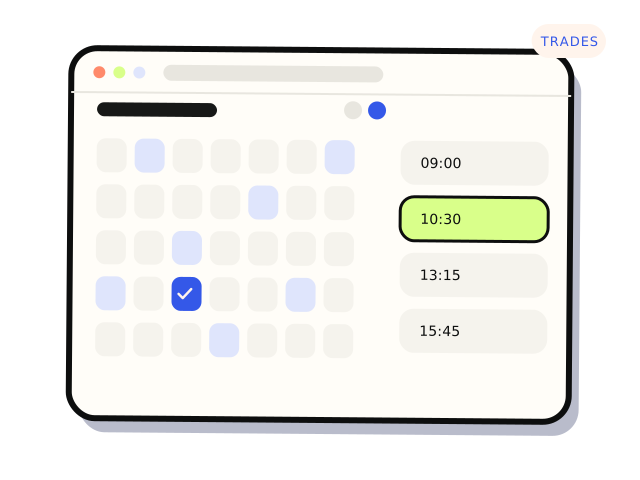
A common approach is to offer both. Standard jobs get a “book a time” button with real availability. Everything else goes through the quote form. That way the jobs that can be booked don’t clog up your phone, and the bigger jobs still get a proper look first.
Booking only works if the calendar is accurate. If your diary actually lives in a job management app, the website should read availability from it, or at least hand bookings into it, rather than keeping a separate calendar that someone has to reconcile.
How do I take a deposit through my website?
Payment providers such as Stripe make it straightforward to take a card payment on a booking or an accepted quote. Options range from a simple payment link sent with the quote, to a checkout step built into the booking form, to an invoice from your accounting or job management software with a pay-now button.
A few things to get right:
- Be clear in writing about what the deposit covers and when it is refundable. Your obligations under the Australian Consumer Law apply regardless of what your terms say, so get advice on the wording rather than copying someone else’s.
- Confirm the payment on the server. A booking should be marked paid only when the payment provider confirms it, not because the customer reached a thank-you page. Our article on Stripe webhooks explains why this matters.
- Match payments to jobs automatically, so the deposit shows against the right customer and quote in your books.
- Check fees and surcharging with your provider. Card fees and surcharging rules change, and how you pass them on is a decision for you and your accountant.
If you’re still choosing a provider, we compared the main options in Stripe, Square or Tyro?.
Can the website connect to ServiceM8 or Tradify?
Often, yes, but the details matter. Job management tools such as ServiceM8 and Tradify are popular with Australian tradies, and many of them offer online booking widgets, quote acceptance and payment features of their own, plus some form of API or integration options. What’s available differs between products and plans and changes over time, so check your provider’s current documentation before assuming a particular feature exists.
There are usually three ways to connect a website to a job management tool:
- Use the tool’s own booking or enquiry widget, embedded on your site. Quickest to set up, but you’re limited to the layout and questions it allows.
- Connect your own form to the tool’s API, so a quote request creates a job or lead automatically. More control over the questions and design, and nothing is retyped.
- Use an automation service such as Zapier or Make in the middle. Handy for simple flows, but it adds another account and another place things can quietly fail.
Whichever you choose, make sure a copy of every enquiry is kept even if the connection fails, and that someone gets an alert when it does. Our guide to connecting website forms to your CRM covers the same principles in more depth.
What else makes a tradie website work?
- A phone number you can tap on mobile, at the top of every page.
- Your service area spelled out with real suburbs, not just “Melbourne and surrounds”.
- Licence numbers where your trade and state require them to be shown, plus insurance details if customers commonly ask.
- Photos of your own work, not stock images.
- Fast loading on mobile data, because many customers search from the problem itself: the leaking pipe, the tripped switch.
- A Google Business Profile that matches your website’s name, address and phone details. Our article on local SEO for service businesses covers the website side.
If you only do three things
Rewrite your quote form so it asks what you need to know before calling, offer online booking only for the jobs that suit it, and make sure every enquiry and deposit lands in your job management tool without retyping. Those changes save time every week, and they don’t need a new website. Our construction and trades page has more on the work we do for tradies.
Connecting your forms, bookings and payments to the tools you already use is a defined job in our API integrations service. If the site itself needs replacing, see our small websites work. From $600. Most integrations land between $600 and $3,500.


