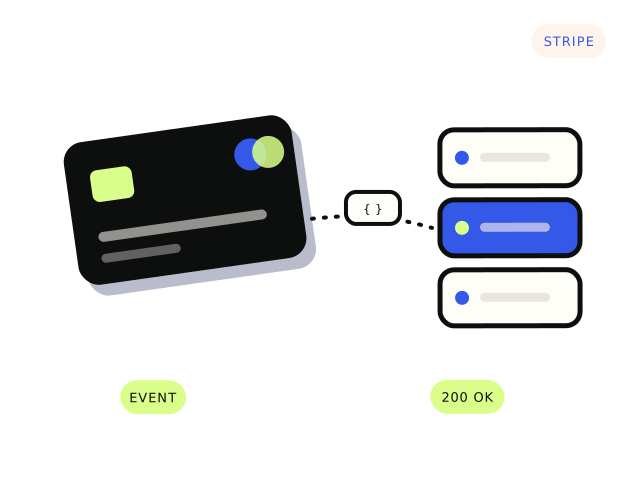
When someone pays through Stripe Checkout, the customer’s browser is sent back to your site, but that redirect is not a reliable signal. People close the tab, lose signal or hit back. The reliable signal is a webhook: a message Stripe sends directly to your server saying an event happened, such as checkout.session.completed or invoice.paid. Your server is meant to act on that message.
If your app grants access when the browser lands on a success page instead, it will sometimes miss payments, and anyone who finds that URL can visit it without paying. That alone is worth fixing.
Where to look first
In the Stripe dashboard, open Developers → Webhooks (Stripe has been moving this into its Workbench area, but the information is the same). Find your endpoint and look at recent deliveries. Each event shows the response your server gave. That tells you most of what you need:
- No endpoint at all, or one pointing at an old URL or a preview deployment.
- Endpoint exists but is not subscribed to the event your code waits for.
- Failed deliveries with 4xx or 5xx responses: your server received the event and rejected it or crashed.
- Timeouts: your server took too long to respond.
- Successful deliveries, but the app still did not update: the handler ran and did the wrong thing, or nothing.
The common causes
Test and live mode are mixed up. Test mode and live mode have separate endpoints, separate API keys and separate webhook signing secrets. A site launched with test-mode webhook settings, or live keys with the test secret, fails every event. Check every Stripe value in your environment matches the mode you think you are in.
Signature verification fails. Your handler should check each event’s signature using the endpoint’s signing secret, which starts with whsec_. If the secret is wrong, every event is rejected. A subtler cause is a framework that parses the request body before verification. Stripe signs the raw body, so verification needs the raw request.
The handler does too much before replying. Stripe expects a quick 2xx response. If your handler sends emails, generates PDFs and calls three other APIs before responding, it can time out. Stripe then retries, and you get duplicates. Acknowledge quickly, then do the slow work in the background.
Duplicates and ordering are not handled. Stripe can send the same event more than once, and events do not always arrive in the order they happened. Your handler should be idempotent: processing the same event twice should not grant two subscriptions or send two receipts. Recording each event ID you have processed is the usual approach.
The wrong event is used. For one-off Checkout payments, checkout.session.completed is common. For subscriptions, renewals and failures arrive as invoice events. Apps that only listen for the first payment never notice a cancelled card six months later.
Testing it properly
The Stripe CLI can forward events to your local machine (stripe listen --forward-to localhost:3000/your-webhook-path) and trigger test events on demand. Test the full path end to end: pay with a test card, watch the event arrive, confirm the account or order changes. Then test the unhappy paths: a declined card, a refund, a cancelled subscription.
Catching up on missed payments
Once the handler is fixed, check for customers who paid while it was broken. Stripe keeps a history of events and will retry failed deliveries for a period, but do not rely on retries alone. Compare successful payments in Stripe against what your app recorded, and fix any mismatches by hand or with a one-off script.
What a fix usually involves
Pointing the endpoint at the right place, correcting secrets, making the handler verify, respond quickly and ignore duplicates, and reconciling missed payments. That is a well-defined integration job, and our Stripe page has more detail. From $600. Most integrations land between $600 and $3,500.


