What it does
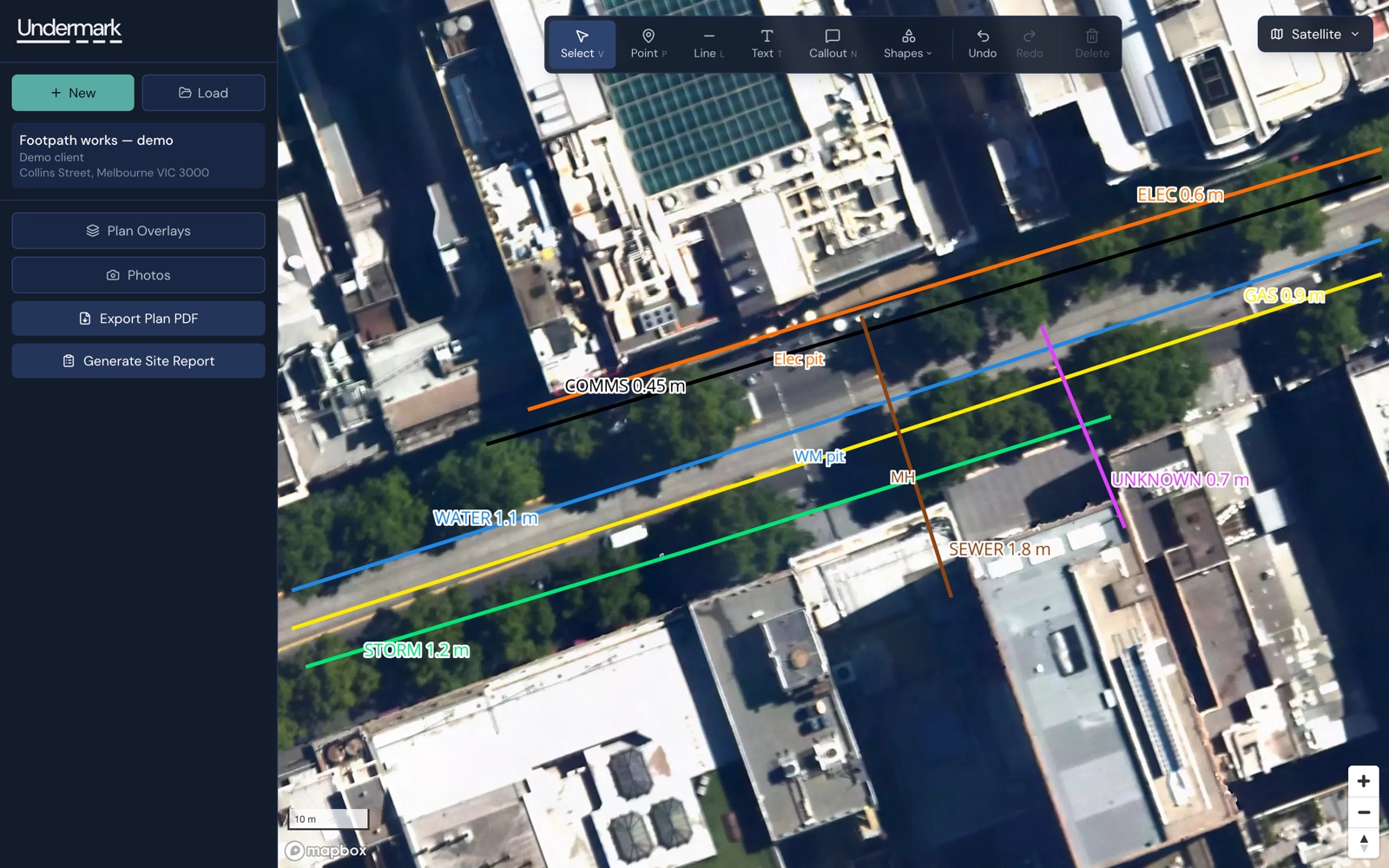
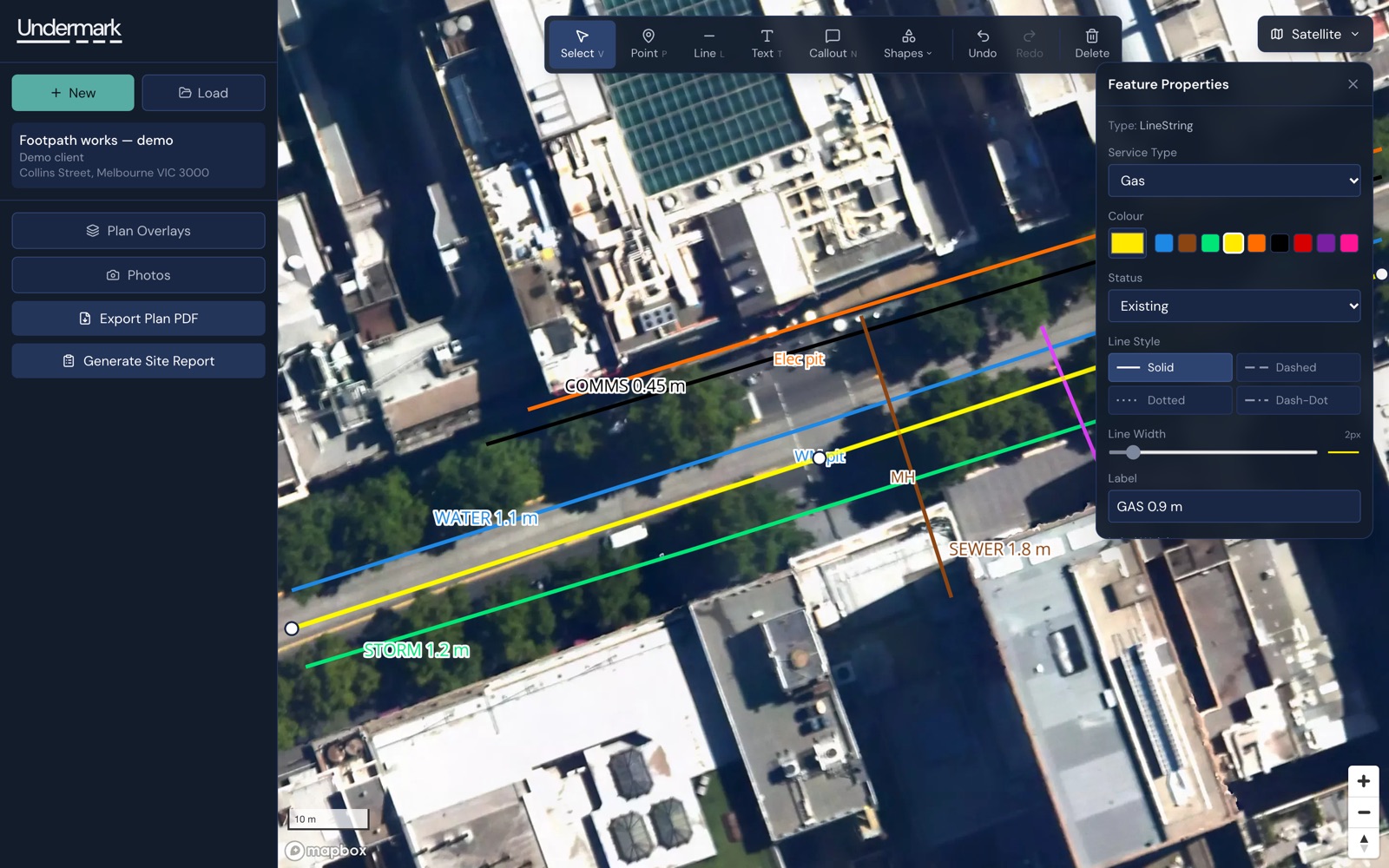
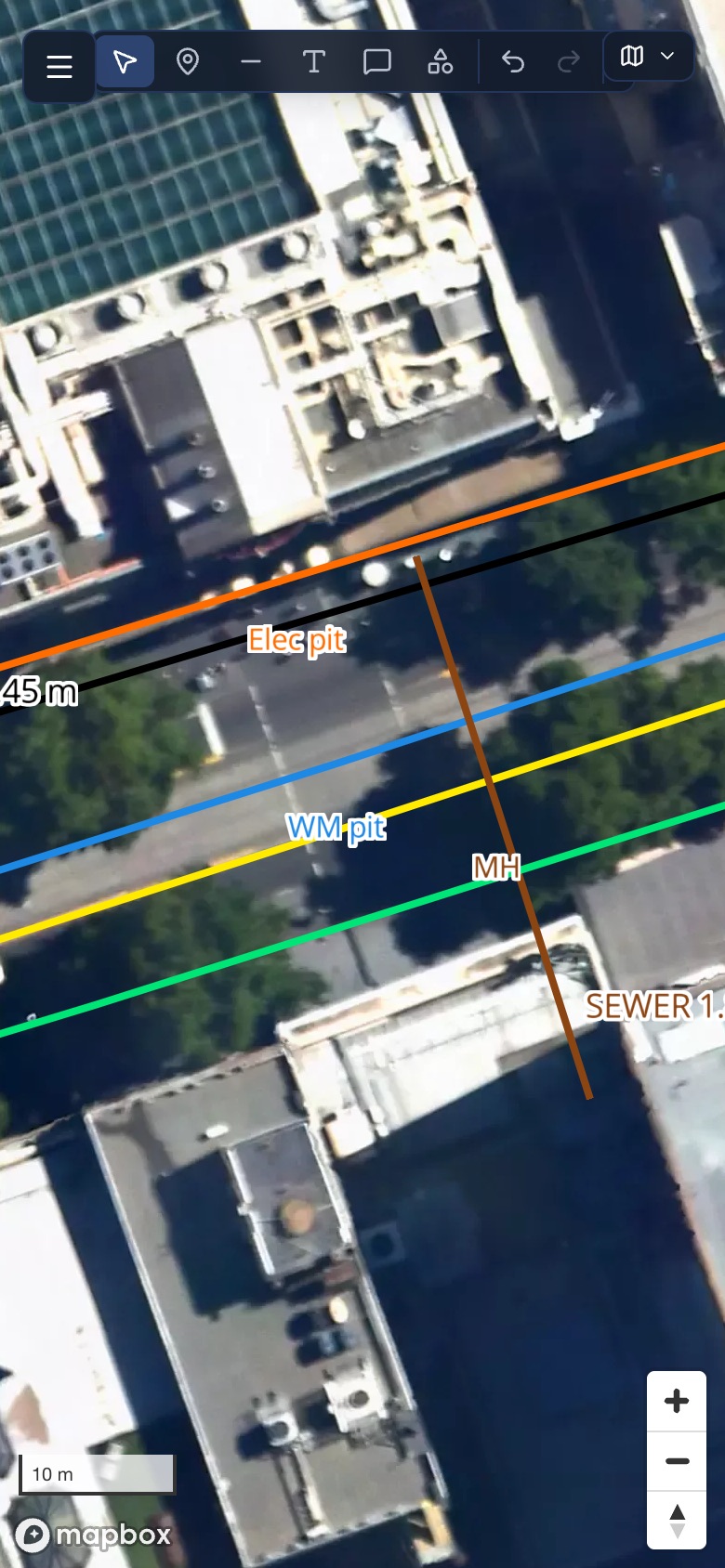
A locator opens a job, finds the site on a satellite map and draws what they found: each service as a line or point in its standard AS 5488 colour, with its depth and a label. Site plans and civil drawings can be laid over the map and scaled to the ground, so measurements over them are real. Photos from site attach to the job.
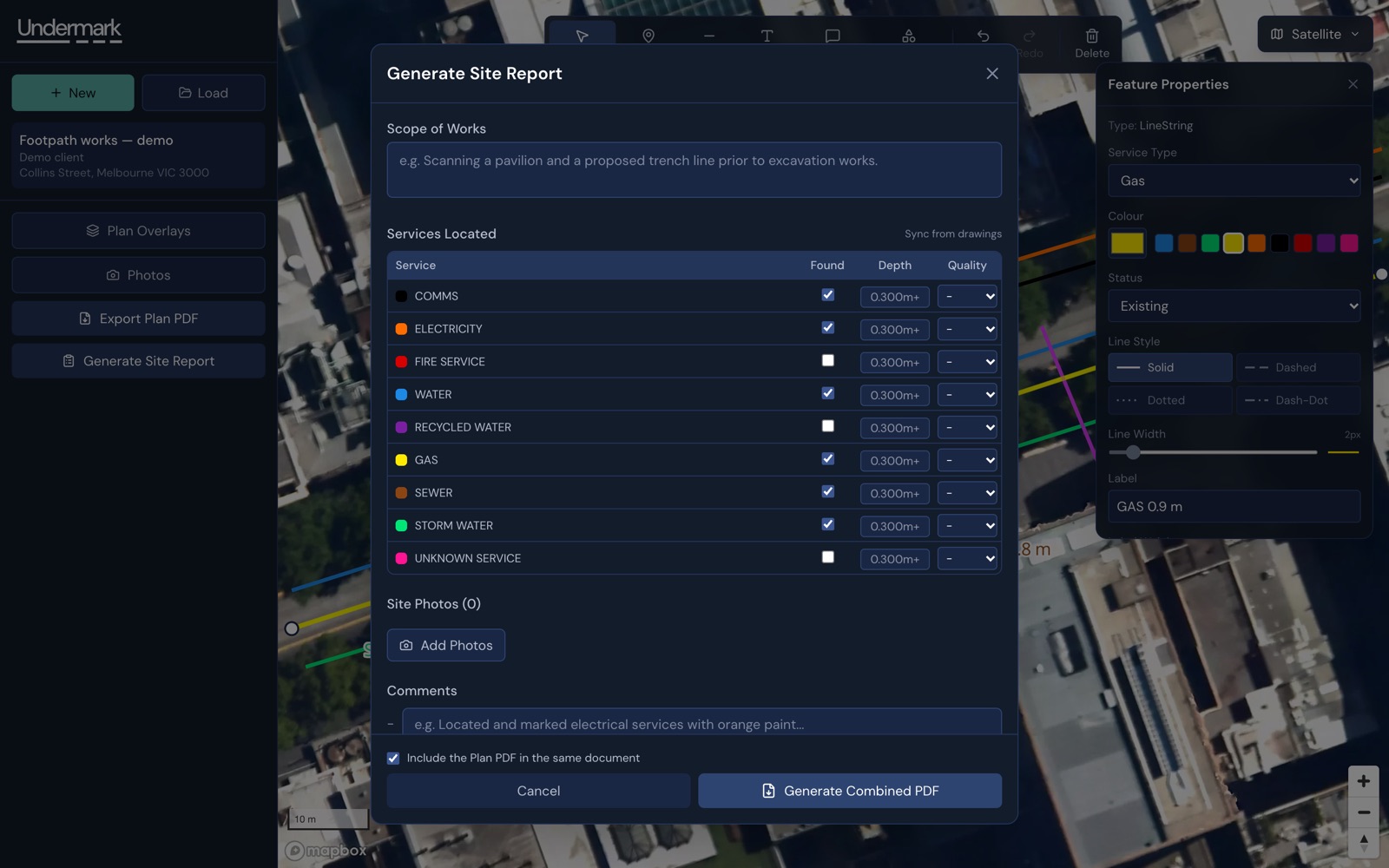
At the end, Undermark exports two documents in Aus-Scan’s branding: the plan, with a title block matching the plans the industry already issues, and a site report. The report’s list of services found is filled in from the drawing, so the two cannot disagree.
Prototype first
Undermark started as a prototype, built quickly to prove the workflow with the person who would use it every day. That was the right call. It settled what the tool needed to do, on real jobs, before anyone spent money making it robust.
It also showed what a fast build leaves behind. Before rollout, a hardening phase found and fixed the problems that would have cost real work:
- Photos and overlay images that did not survive a reload, because they were never properly stored
- Autosave re-uploading megabytes of image data every time a point was dragged
- Save errors caught and logged where nobody would see them, so a failed save looked like a successful one
Images moved to proper file storage. Saving became honest: the screen always says Saving…, Saved or Not saved — retry, and a save based on an out-of-date copy is rejected rather than quietly overwriting someone’s newer work. Version history lets any earlier state be restored. A test suite now covers the parts that broke.
One fix caused a worse bug, and it is worth telling. A local backup copy, added so work survives a bad connection, eventually filled the browser’s storage and silently stopped all saving. It now keeps one small copy per project, and is written so that it can never block a real save.
Built for more than one company
Aus-Scan is the first company on Undermark, but it was built so others can join without a rebuild. Each company has its own team, roles and branding on its PDFs. Members see their own jobs; admins see the whole company’s and manage the team. Accounts are invite-only.
The important part is where that separation is enforced: in the database itself, not just in the app’s screens. Twenty-one automated tests sign in as users from two different companies and confirm that neither can read, change or download the other’s projects or files. They run automatically whenever the database rules change. (Our article on launching an AI-built app safely explains why this is the first thing to check.)
What we deliberately did not build
- Full offline editing. Syncing edits made offline on two devices is a large, risky piece of work. Instead, the app and recently viewed maps are cached, work is kept on the device until it saves, and the screen is clear about whether it has.
- Self-serve sign-up and billing. With a handful of companies, setting one up by hand takes minutes. Building sign-up and billing machinery for that would be cost without benefit.
The result
Aus-Scan draws its plans and site reports in one tool, in its own branding, on a laptop or a phone. Work is saved where it can be recovered, each company’s data is kept apart by the database, and the next company can be added without changing the code.