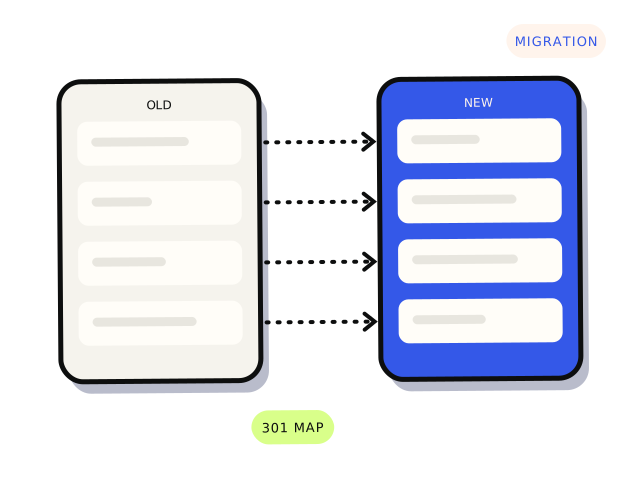
To move to a new website without losing Google traffic, keep your existing URLs wherever you can, and for every URL that has to change, set up a permanent 301 redirect from the old address to the closest matching new page. Build the redirect map before launch, using a full list of old URLs from a crawl, your sitemap, Search Console and analytics. Then submit the new sitemap in Google Search Console and watch for errors and traffic changes for at least a few months. Some fluctuation is normal for a few weeks; a lasting drop usually means something was missed.
Why do websites lose traffic after a redesign?
Google ranks individual pages, not whole websites. Each page has built up its own history: links from other sites, bookmarks, and a place in search results. When a new site launches with different addresses and nothing connects old to new, Google finds a lot of broken pages and a lot of unfamiliar ones, and has to work out the relationship from scratch. Visitors following old links hit a “page not found” and leave.
The other common causes are content and settings. Pages that ranked well get cut or merged into thin summaries. Page titles and headings are rewritten without thought. Or the new site launches with a setting left over from development that tells search engines not to index it at all.
Step 1: list every URL you have now
You can’t redirect pages you don’t know exist. Combine several sources, because each misses something:
- A crawl of the current site with a tool such as Screaming Frog, which is free for smaller sites.
- Your current XML sitemap.
- Google Search Console’s Pages and Performance reports, which show URLs Google knows about and which ones get clicks.
- Your analytics, for pages that get visits from anywhere.
- Pages with links from other websites, which you can see in Search Console’s Links report.
- PDFs, images and old campaign landing pages that might not be in the menu.
Mark the pages that matter most: the ones with search clicks, inbound links or enquiries. Those get the most care.
Step 2: keep URLs where you can
The safest redirect is the one you don’t need. If the new platform can use the same address for a page, use it. Moving from WordPress to another WordPress theme usually allows this. Moving platforms often doesn’t: Shopify, for example, uses fixed patterns such as /products/ and /collections/, so a store moving to Shopify will need redirects for most product and category pages. That’s fine, as long as they’re planned.
Step 3: build the redirect map
A redirect map is a spreadsheet with two columns: old URL and new URL. Every old URL that’s changing gets a row.
- Match each old page to the closest equivalent new page, not just the homepage. An old “blocked drains” page should go to the new blocked drains page.
- Use 301 (permanent) redirects, not 302 (temporary). A 301 tells Google the move is permanent.
- Redirect old to new in one hop. Avoid chains where page A redirects to B, which redirects to C.
- If a page genuinely has no replacement, redirect it to the most relevant parent page, or let it return a proper 404. Redirecting hundreds of unrelated pages to the homepage tends to be treated as a 404 anyway.
- Include variations: with and without
www,httpandhttps, and trailing slashes, so they all end up at one version. - Keep the redirects in place for the long term. Google recommends at least a year; in practice, there’s rarely a reason to remove them.
On WordPress, redirects can be managed with a plugin or at server level. Shopify has a built-in URL redirects tool and can import a CSV. Other platforms handle it in hosting configuration. Our WordPress development and Shopify development pages cover platform-specific work.
Step 4: carry over what made pages rank
- Keep the substance of pages that perform well. Redesign the layout, not necessarily the words.
- Carry over page titles and meta descriptions, then improve them deliberately rather than losing them by accident.
- Keep headings, image alt text and structured data.
- Update internal links to point straight at the new URLs rather than relying on redirects.
- Check canonical tags point to the new pages, not the old ones or a staging address.
Step 5: launch day checks
These go alongside the broader items in our website launch checklist.
- Remove any “discourage search engines” setting,
noindextag or blockingrobots.txtrule left over from staging. - Test a sample of old URLs from the redirect map, especially the important ones, and confirm each returns a 301 to the right page.
- Submit the new XML sitemap in Search Console.
- If the domain itself is changing, verify both domains in Search Console and use the Change of Address tool.
- Confirm analytics and conversion tracking are working on the new site.
- Make sure the staging site is password-protected or blocked so it doesn’t compete with the real one.
Don’t switch the domain or platform at the same time as a big content rewrite if you can avoid it. If traffic drops, you won’t know which change caused it.
Step 6: monitor for the next few months
Check Search Console weekly at first. Look at the Pages report for a rise in “not found (404)” errors and fix them with extra redirects. Compare clicks to your most important pages against the same period before launch. Search the exact titles of key pages to see that the new URLs are appearing. Most sites see some movement for a few weeks while Google recrawls. A drop on specific pages that doesn’t recover usually points to a missed redirect or lost content you can fix.
Before you start: who owns what?
A migration is a good time to confirm the business controls the domain, DNS, hosting and Search Console. If a previous developer or agency holds any of them, sort it out before launch, not during. Our guide to who owns your website lists what to check.
If you only do three things
Get a complete list of your current URLs. Map every changing URL to its closest new page with a 301. After launch, watch Search Console for 404s and fix them quickly. That covers most of what goes wrong.
If you want a redirect map built and checked, or a migration reviewed before and after launch, our technical SEO work handles it as a defined job. Audits from $600. Most technical SEO jobs land between $600 and $3,000.


