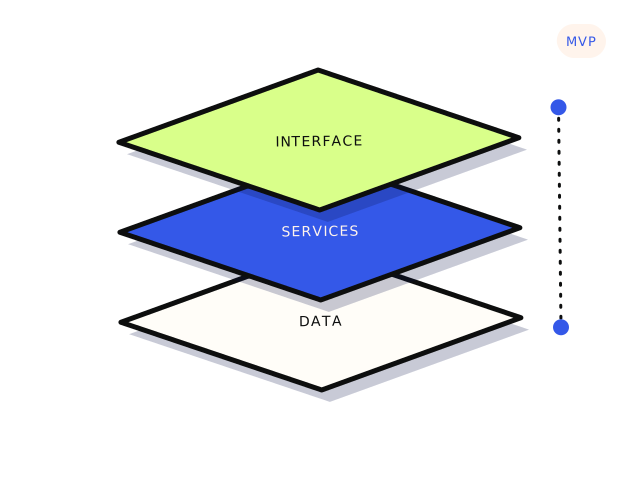
Most vibe-coded MVPs should be fixed, not rebuilt. If the app does what users need, the data model roughly fits the business, and the problems are security gaps, messy code or fragile features, a targeted fix is cheaper and faster than a rebuild and keeps your users on a working product. A rebuild makes sense when the data model is wrong at its core, the platform you built on cannot do what you now need, or nobody can change anything without breaking something else. Deciding which one you are in takes a short, honest review, not a gut feeling.
This article is about that decision. If you have not launched yet, start with our nine pre-launch checks for AI-built apps, which cover the safety basics. This is the next question: you are live, it mostly works, and you need to decide what to do with the code.
Why does a working MVP feel so fragile?
AI builders write code one prompt at a time. Each prompt solves the problem in front of it, and the tool rarely goes back to tidy what came before. Over a few hundred prompts you tend to get the same pattern: the same logic copied into several places, components that each fetch their own data in slightly different ways, database tables added as needed rather than designed, and fixes layered on top of earlier fixes.
None of that means the app is bad. It means the app has no clear shape, so every change is a guess about what else it might touch. That feeling of fragility is real, but it is a symptom. The useful question is what is causing it, and whether that cause can be fixed in place.
What are the signs it can be fixed?
- Users are getting value. The core flow works and people come back. That flow is the hardest thing to recreate, and it is already done.
- The data mostly makes sense. Tables map to real things in your business, like customers, bookings or projects, even if some columns are messy.
- The problems are specific. You can name them: a missing security rule, a slow page, a payment edge case, a feature that breaks on mobile.
- It runs on a standard stack. Something like React or Next.js with Supabase or a normal Postgres database. Any competent developer can work on that.
- You can export the code. It lives in a Git repository you control, not only inside the builder’s editor.
If most of those are true, the job is a rescue: fix the serious problems first, then improve the structure gradually as you touch each area. That is how most professional software is maintained anyway.
When is a rebuild actually justified?
- The data model is wrong at its core. For example, the app assumes one user per account and you now sell to teams, or bookings are stored as text that cannot be queried. Changing the foundations of a live database touches everything.
- The platform has hit its ceiling. Some no-code or hosted builders cannot do background jobs, proper roles, or the integration you need, and there is no exit except moving off.
- Nobody can safely change it. Small edits regularly break unrelated features, and there is no way to test changes before users see them.
- Security cannot be retrofitted cleanly. Rarely, access rules are so tangled with the front end that adding proper checks means rewriting most of the data layer anyway.
- The product has changed. What you are building now is not what the MVP was built to test. That is a new product, not a rebuild.
Even then, “rebuild” rarely needs to mean starting from a blank page. Your existing app is a working specification. The screens, the flows and the edge cases users have already found are all information a rebuild should use.
What should you check before deciding?
A short review answers most of this. You can do some of it yourself:
- Get the code out. Connect the project to a GitHub repository in the business’s account, if it is not already. If you cannot export it, that alone shapes the decision.
- List what the app does. Every screen, every user type, every email it sends, every external service it calls. One page is fine.
- Check the data access rules. On Supabase, that means Row Level Security on every table. Our plain-English guide to Supabase RLS explains what good looks like.
- Find the secrets. Make sure no secret keys are in front-end code. If any ever were, rotate them.
- Write down the five changes you need next. The decision depends on what you want the app to do in six months, not on how tidy the code is today.
- Ask a developer to estimate those five changes against the current code. If each one is a small, contained job, fix. If each one starts with “first we need to restructure…”, a rebuild is on the table.
What does fixing in place look like?
A sensible rescue works in layers, most urgent first:
- Safety: access rules, secret keys, payment confirmation, backups. These protect your users and are not optional.
- Visibility: error monitoring and basic logs, so you hear about failures before customers tell you.
- A safe way to change things: a staging copy of the app and database, so changes are tested before they reach users.
- Structure, gradually: pulling duplicated logic into one place, tidying the data model one table at a time, adding tests to the flows that matter most.
You can keep shipping features through all of this. You can also keep using AI tools, with a developer reviewing what they produce. A pairing session or code review is often enough to keep a founder moving without handing over the whole project.
What does a sensible rebuild look like?
If the review says rebuild, do it in a way that keeps risk low:
- Keep the old app running until the new one is ready. Users should not notice the switch beyond things getting better.
- Design the data model first. It is the part that is expensive to change later, and the part AI builders most often get wrong.
- Rebuild the core flow, not everything. Features nobody uses can stay behind.
- Plan the data migration. Moving real users, records and payment links across is its own job, and it needs testing with a copy of real data.
- Write a brief. A rebuild without a written scope tends to grow. Our guide on how to brief a developer covers the one page that keeps it contained.
Be wary of anyone who recommends a rebuild before looking at the code, or who recommends one in a framework only they use. A rebuild is sometimes right, but it should be the conclusion of a review, not the starting assumption.
The same reasoning applies to marketing websites, which we cover in fix or rebuild your website. For startups specifically, our SaaS and startups page explains the kinds of jobs we take on.
If you only do three things
Get the code into a repository you own, fix the security basics regardless of what you decide next, and list the next five changes you need. Those three steps make the fix-or-rebuild decision obvious far more often than you would expect, and none of them are wasted whichever way it goes.
If you would like a second opinion, our AI build rescue starts with a fixed-price diagnostic that tells you which situation you are in and what the fix would cost. If the answer is a focused rebuild of a small app, that falls under custom web apps. Paid diagnostic from $350. Most rescue fixes land between $500 and $4,000.


